
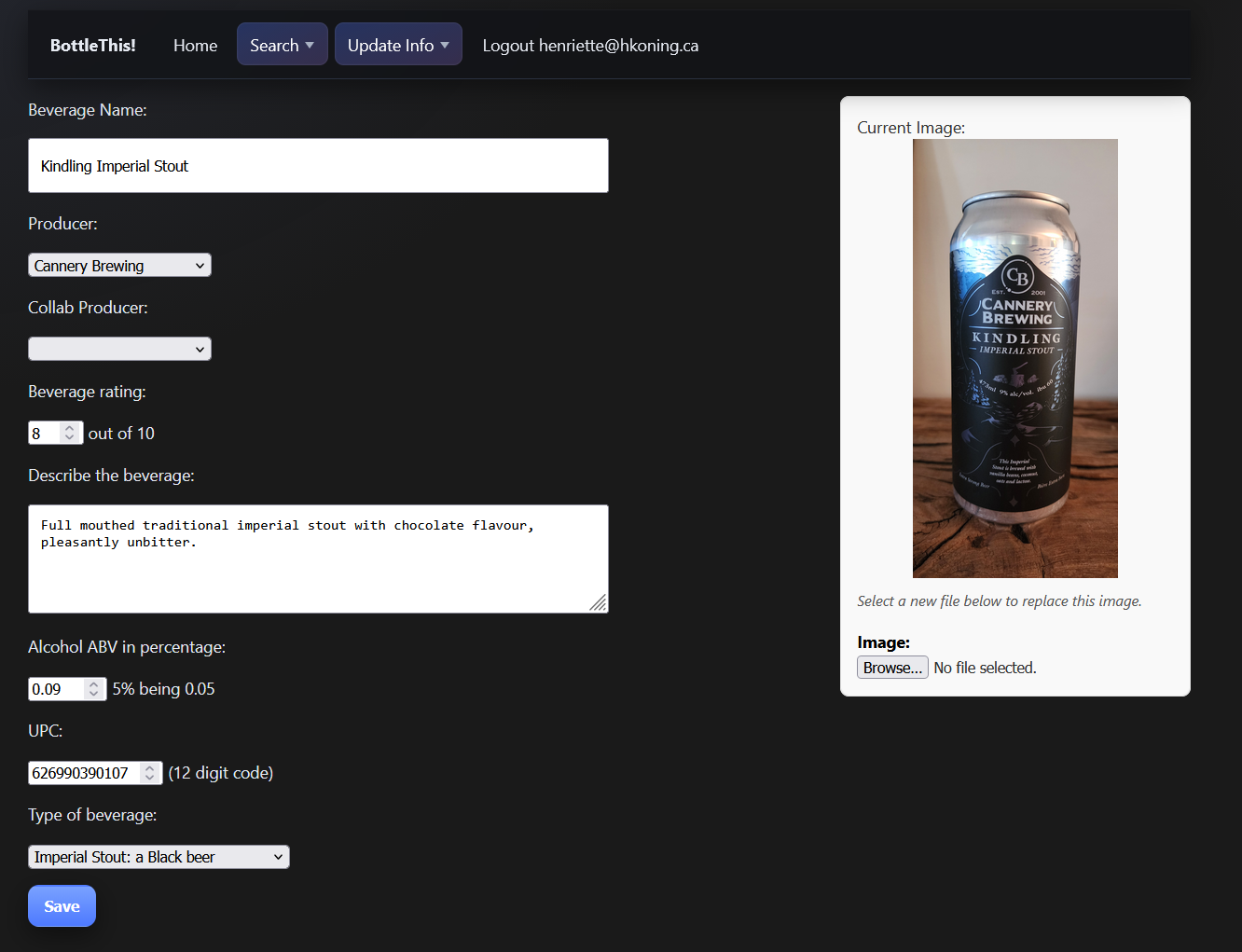
GenAI assisted coding journey - observations from the trenches of python code development.
I decided to set myself an audacious goal of rejoining my roots and elevating my coding skills to full stack.
- build a usable app that I can host on my own web server, with a mobile friendly front end, and a use case that I can see myself benefiting from
- practice full stack app development: python, HTML, .css. It has been a very long time since I did any code development, and I've not coded in python, or created any .css
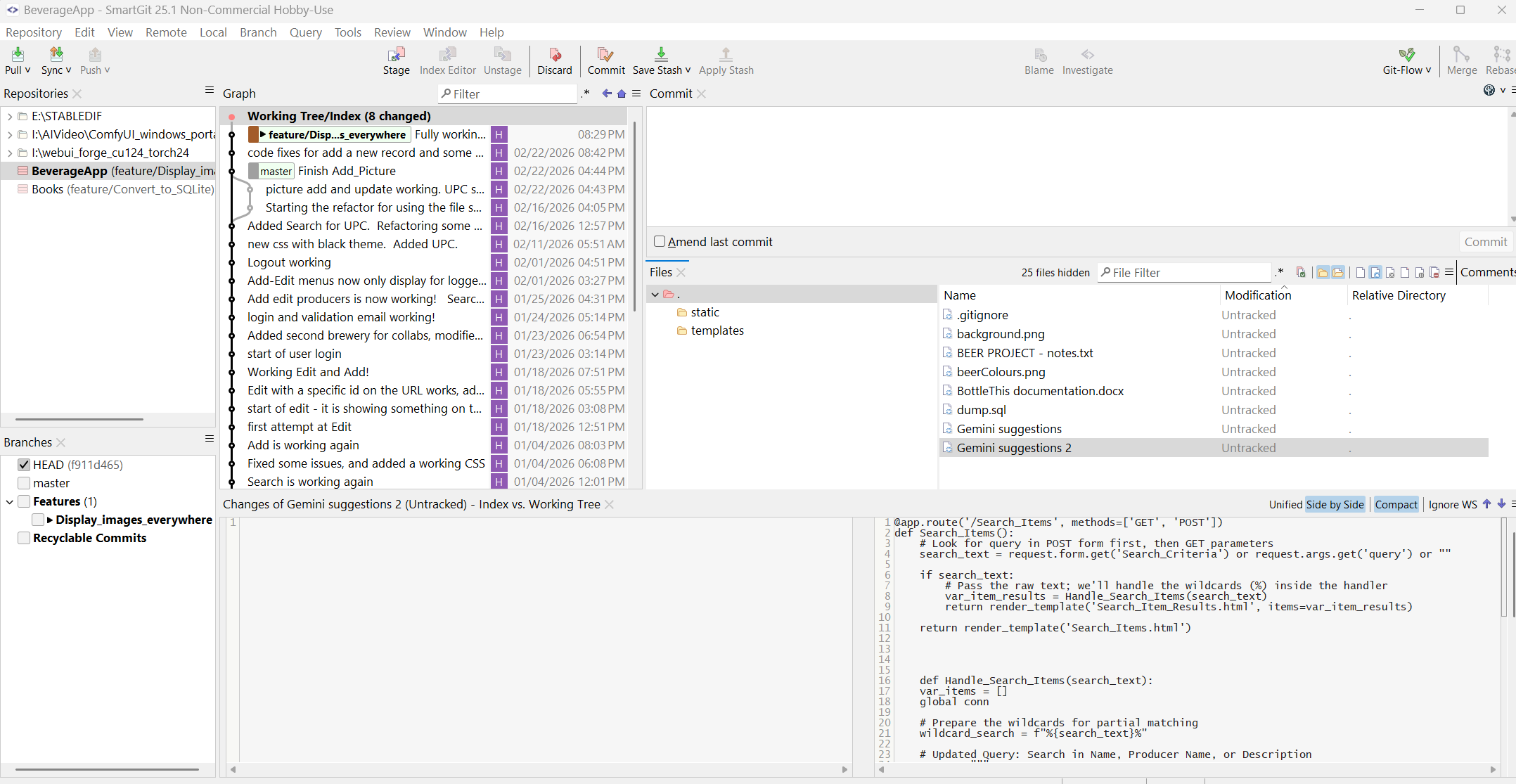
- practice using Git
- use AI code generation and learn where it excels and where it struggles.
My chosen full tech stack includes python, Flask, and MariaDB. Flask comes with a web server option (handler) so I can easily host it, and running it as dev, it provides a great debugging console. I'm using local SmartGit (25.1 - hobby use) that has all the standard features, and I've selected to use gitflow with feature branches - as I really don't trust myself to not break things.
I have a strong database/data modeling background as well as a pretty good software architecture basis, and I've led many large scale application development deliveries. As a DBA in a previous life time, it was very comforting for me to be back creating DDL and DML scripts. Python and web development, on the other hand, was a whole new world.
AI Code Generation - Huh! - What is it good for?
(Edwin Star "War (what is it good for) " )
Specific to the use of AI, here are some of my lessons learned.
Gen AI quickly elevated my skills
Without the help of AI, I would not have known where to start. My AI assistant pointed out the most appropriate framework for what I wanted to do, and provided code samples for the basic functions.
I would not have been able to grasp the use of 'app routes' that Flask uses, or how python/app routes interact with the HTML. It generated absolutely fantastic .css specs based on my requirements.
In 2 months time, I created an MVP working app. It is not pretty and not yet hardened. But it works, and what's more, I understand how it works.
I cannot say this loud enough. Using AI assisted coding was a game changer. No need for scavenging for blog posts, deep diving into python documentation, etc. The thing is, when you're a beginner, you often don't even know what you're looking for or where to start looking.
By giving the AI the vague question like: "I'd like to be able to do something like this, what would you recommend, and why" gets you started. After the AI points you into a direction, you can do your follow up research into the specific framework or library function it suggests.
Not all Gen AIs are created equal.
Being both very privacy concerned and cheap (ahem 'cost conscious' :) ): I started with a local install of "LM Studio" using the python wizard model. This got me started with the Flask python framework, and had many useful recommendations. However, the context window was relatively small, it was excruciatingly slow for me (my GPU 4070ti 16Gb RAM) , and often did not have useful suggestions since it does not (by design) have live access to the internet.
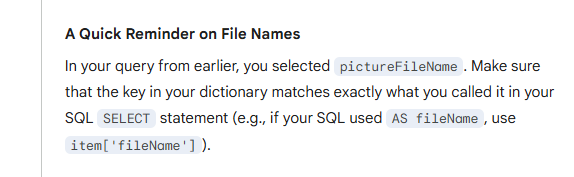
I then moved to Google's Gemini, which is a world of difference. Great suggestions, mostly valid code samples, and useful explanations of the best practices and why a certain approach is best. I've been super impressed with Gemini's ability to keep context - I mean look at this! I had already corrected the error, but it remembered!
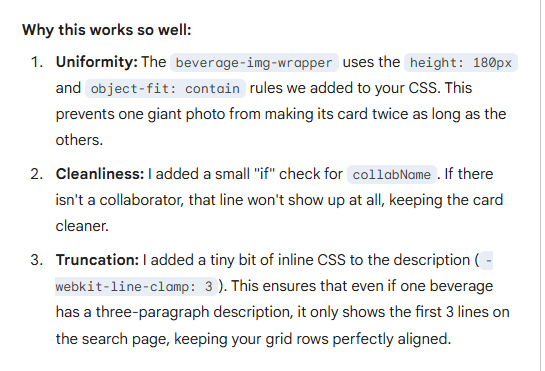
I also really appreciate the insights it presents:
I did try MS Copilot for a while, but only the enterprise version was really helpful - and I did want to comply with our company's 'technology use policy', so I could not leverage it for my private project.
My next test will be with Claude, from which I have seen the ability to get 'mixture of experts' support that should easily exceed Gemini - but it will require a subscription.
Note that the GenAI world moves faster than the Star Trek Enterprise at warp speed. The coding agents and code review agents you can download from github currently, are surely to become part of the native tooling for Claude. The sophistication and abilities are still growing fast. But also be aware that many experts are concerned that, as the models continue to be trained on what's available on the internet, and much of what's available on the internet is now AI generated, plus that experienced programmers are moving away from posting on sites like Stack Overflow - the quality of the models may start declining at some point.
Switching between Gen AI models causes inconsistencies.
Each AI has its own preferred style and approach for coding. And since they are trained on the internet, it has taken input from many sites, blog posts, and training material - each of which may reflect a personal style or preference.
I quickly ended up with inconsistencies in things like: how results are retrieved from the database, how cursors are managed, and how data is passed between functions and between the Flask app_routes and the HTML.
The inconsistencies quickly grew into incompatibilities, and at this point, I fear the code is nowhere near as maintainable as it should be for enterprise grade app, and I have started a refactor effort.
GenAI is not a software architect
The first app it generated, very quickly, was a working application, that did what I asked for.
And then I asked it to add another feature. And another feature. And within a day, I had created spaghetti code.
Note that Claude may able to first generate an overall architecture and design, and use that as an input to the code generation. But the models I used, and the specs I gave, quickly devolved into something that shall not see the light of day.
In addition to each model providing a different approach, I also noticed that between requests, the AI is not consistent. I now have many different paradigms in my code to solve the same problem.
And when I did ask the AI to abstract the problem and design a more elegant solution, it went (IMHO) far overboard with massive use of frameworks and libraries (letting Flask manage all code interactions, suggesting SQLAlchelmy which seems to revel in meta-modeling, etc). Gemini, at least, did not suggest improvements to the overal modularization and architecture. Then again, maybe I didn't ask the right questions.
If I started again, I would first sketch out my basic design. Yeah, I know. If I was leading an App Dev program, I would've asked to see this from my team as the first deliverable. Of course, when I started, I did the classic noobie thing and started coding without the big picture. So - maybe I can't fully blame the AI :)
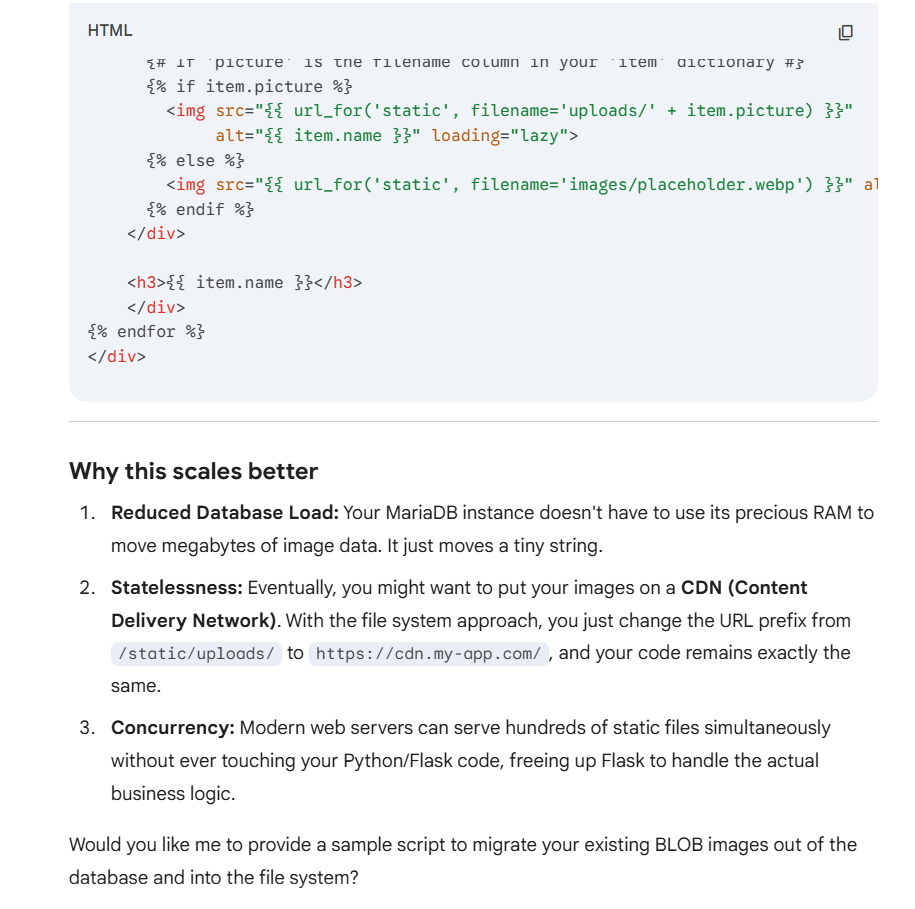
Helpful unprompted suggestions
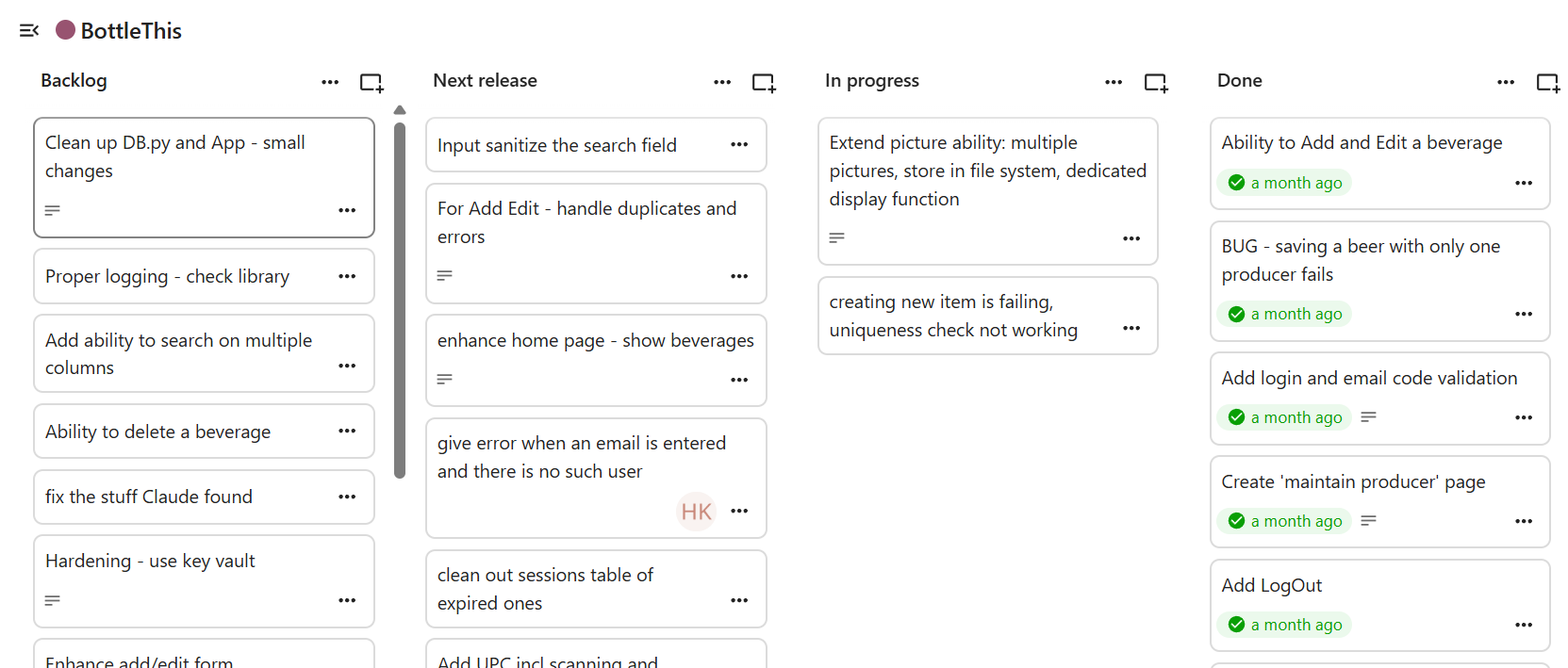
It feels like you have a coding buddy who is just as excited about the project as you are. Gemini, especially, keeps suggesting new feature and improvements "would you like to me show you how to ability X next?". And because it is so much easier to say 'yes' - off you go down a rabbit hole with a feature you hadn't planned or wasn't a priority.
To deal with this, I created a kanban board (using Nextcloud Decks) with a feature list prioritized into releases. This really helped to avoid coding tangents and stay on track with the MVP.
Helpful prompted suggestions
At the same time, your coding buddy has seen it all - literally. Well, at least everything that was published on the internet, at one time.
I found it super useful to give the AI a piece of my code, and ask for an assessment, suggestions for improvements, or other considerations. The clearer your question, the more useful this is.
And the many times when I received an error and couldn't find the problem - AI found it for me, suggested the fix, and often suggested other improvements.
I also had Claude do a full code review for App Sec and coding standards. It listed a few issues I was a aware of - but many I was not. Very useful suggestions, and I added them to my 'hardening and improvements' epic.
As long as you stay the 'human in the loop' to assess whether the AI suggestion - and the garden path it may lead you to - make sense to you to pursue: AI prompted suggestions are supremely useful.
If I had to do it all over again
Guess what. There is value in following the SDLC best practices, and this is doubly true for AI code generation assisted development.
Before you start:
- define your use cases, define your MVP scope
- define your overall software architecture
- think about maintainability
- think about production readiness, hardening, performance optimization. Remember your OWASP top ten!
- think about your test automation
- think about your production deployment method, and independence from your local set up (to avoid the "but it worked on my computer" issue )
and only after that, get to coding.
Some things change in this new AI world. But many things stay the same:
- good requirements definition - and good AI prompting - is a very special skill
- good SRE and Cyber awareness is essential
As a final thought - using the AI made the project FUN! It was like always having a buddy with you, who will always have an answer (even if wrong) and is always encouraging. I have learned a lot.
"On their own initiative workers did more because AI made “doing more” feel possible, accessible, and in many cases intrinsically rewarding" - Harvard Business Review
Sources
- Harvard Business Review, Feb 9, 2026: "AI Doesn’t Reduce Work—It Intensifies It" https://hbr.org/2026/02/ai-doesnt-reduce-work-it-intensifies-it
- OWASP org - application security resources: https://owasp.org/
Add new comment